How-to
Icons and designs
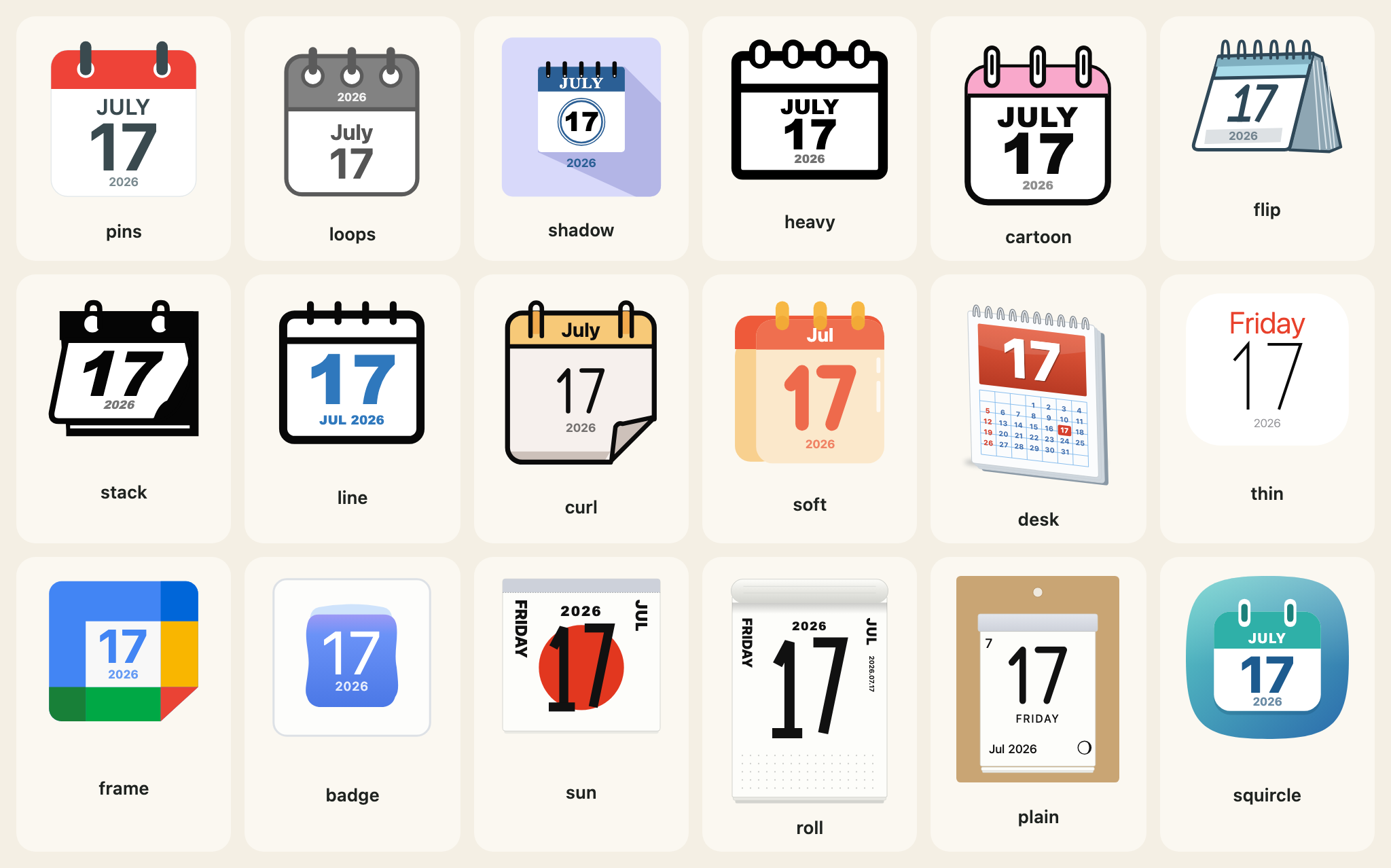
The 18 calendar-page designs, how to choose one by name, the older names that still work, and every option of calendarIcon.
calendarIcon draws one day as an SVG string. It takes an options object; only month and day are required.
The options
| Option | Meaning |
|---|---|
month, day | Month 1 to 12 and day 1 to 31. Required. |
year | Four digits. Names the weekday and a small year where a design draws them; leave it out to leave both off. |
theme | One of the 18 designs. Default pins. |
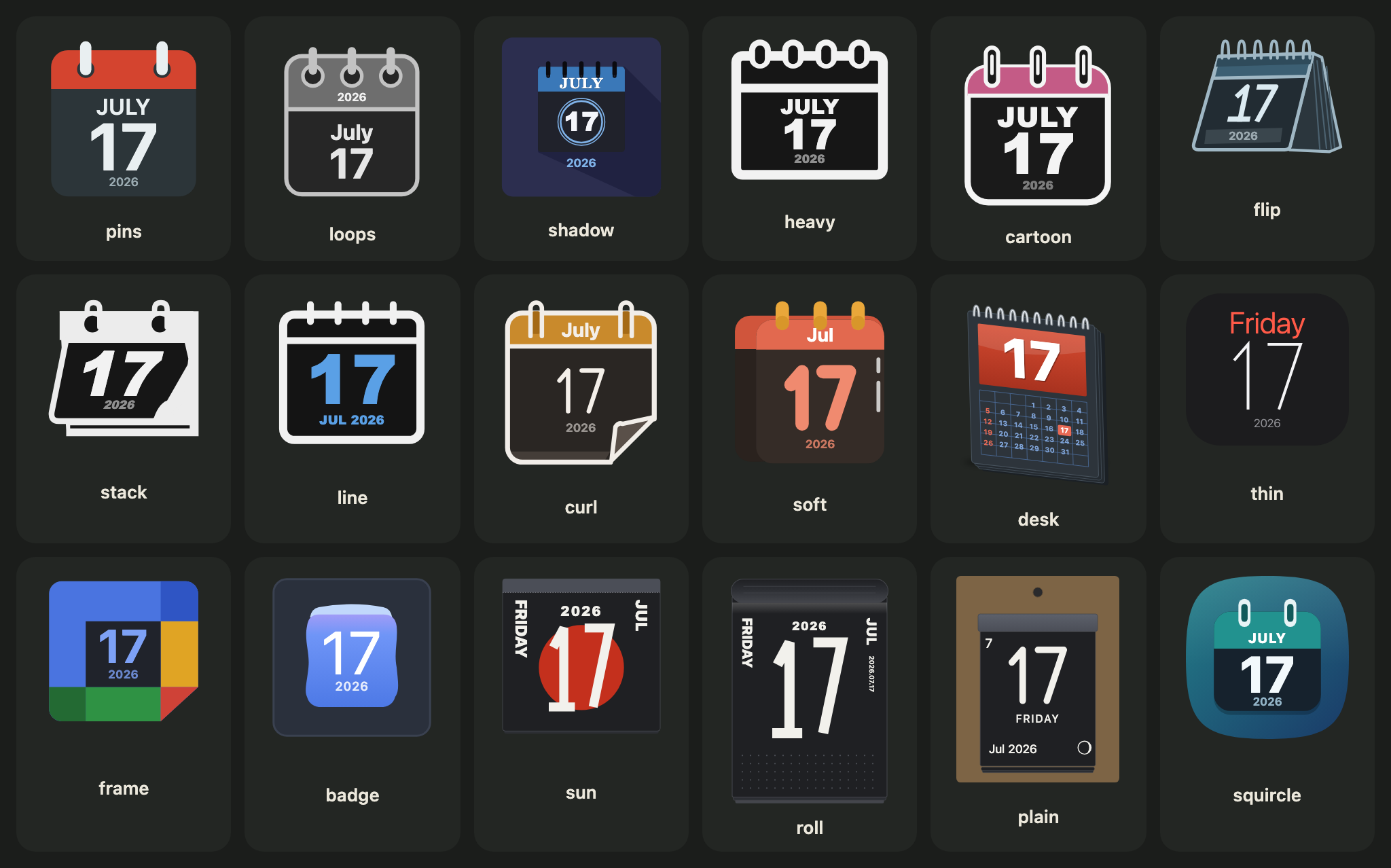
scheme | "light" (the default) or "dark". |
size | Width in CSS pixels; the height follows the design. Default 96. |
locale | en or any locale Intl accepts. |
housing, housingColour, rings, turn, preset | The frame: see Housing, rings and turn. |
weekend, holidays, japanese, columns, mark, moon | The tear-off pages: see The Japanese calendar. |
The 18 designs
| Name | Label | Look |
|---|---|---|
pins | Pins | flat page, red header, two slate pins |
loops | Loops | grey outline, three ring pins |
shadow | Long shadow | blue header on a lavender tile, long shadow |
heavy | Heavy | heavy black outline, ring slots |
cartoon | Cartoon | black outline, pink header, glossy number |
flip | Flip | a flip calendar in perspective |
stack | Stack | solid black glyph, tilted page, a sheet underneath |
line | Line | black line art with a blue number |
curl | Curl | orange header, two hooks, a curled corner |
soft | Soft | red-orange header, amber rings, a coral number |
desk | Desk | a desk pad with a month of small dates |
thin | Thin | a white page, the weekday in red, a very thin number |
frame | Frame | four coloured sides round a pale square |
badge | Badge | a white tile and a soft blue page |
sun | Sun disc | a tear-off page with a huge day over a red disc |
roll | Wall roll | a tall wall tear-off page |
plain | Plain | a plain tear-off pad on a kraft stand, with the moon |
squircle | Squircle | a soft rounded tile in a teal-to-blue gradient, a white page with two binding tabs, a large bold day |
Every drawing is the package's own: shapes, gradients and a stroke-drawn digit set. There is no image, no font file, no logo and no company's name in a design.
Choosing by name
The names are in CALENDAR_THEMES, their labels in English and Japanese in CALENDAR_THEME_LABELS. calendarThemeOf turns text from a form or an address into a design, or null. The ten names of the first release (classic, outline, spiral and so on) are in CALENDAR_THEME_ALIASES, and each reads as the design that replaced it.
import { CALENDAR_THEME_ALIASES, CALENDAR_THEME_LABELS, calendarIcon, calendarThemeOf } from "@johnmorrisdotca/koyomi-calendars";

console.log(calendarThemeOf("squircle"));
console.log(calendarThemeOf("classic"));
console.log(calendarThemeOf("nope"));
console.log(Object.keys(CALENDAR_THEME_ALIASES).length);
console.log(CALENDAR_THEME_LABELS.sun.en);
const svg = calendarIcon({ theme: calendarThemeOf("tile") ?? "squircle", month: 7, day: 17, year: 2026, size: 120 });
console.log(svg.includes('width="120"'));
// squircle
// pins
// null
// 10
// Sun disc
// true
squircle
pins
null
10
Sun disc
trueOne design alone
Each design is also its own import, which carries none of the others, and which exports calendarIcon (and theme, the design's own definition, for tests and tools):
import { calendarIcon } from "@johnmorrisdotca/koyomi-calendars/themes/squircle";

const svg = calendarIcon({ month: 11, day: 2 });
console.log(svg.startsWith("<svg"));
// truetrueSee Sizes and bundles for what that saves.
Size
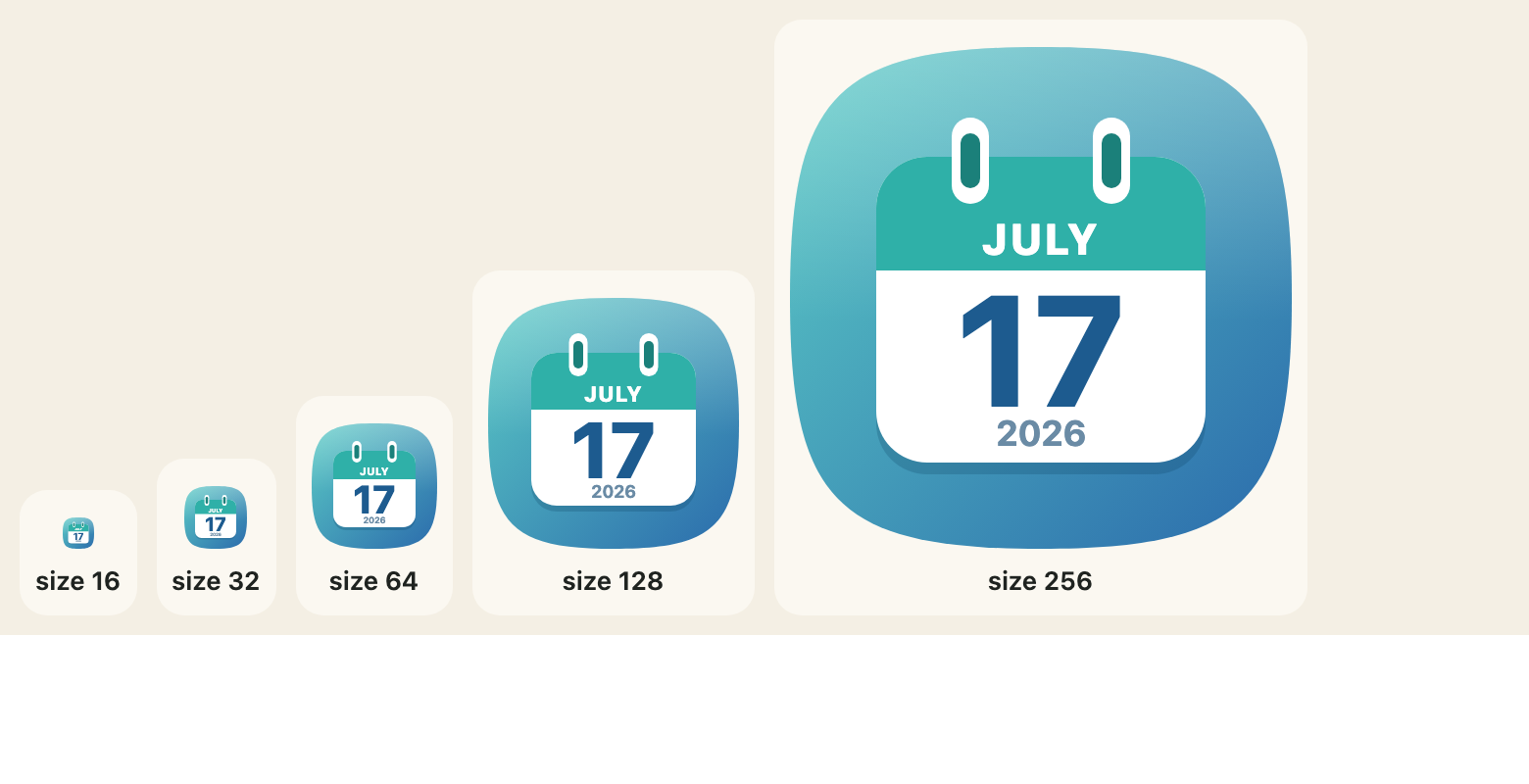
size is the width in CSS pixels, 16 to 1024, and the height follows the design. Every design is drawn to stay readable down to the small end: the day number is the largest thing on the page.
What the year does
With a year, an icon names the weekday ("Monday") and the designs with room show a small year. The year chip keeps a minimum size and a margin from the bottom of its page: CALENDAR_YEAR_MIN (0.07 of the width) and CALENDAR_YEAR_CLEAR (0.03). calendarLayout(theme, withYear) says where the day sits and where the year zone is, in the design's own units, if you need to place something beside an icon.
import { CALENDAR_YEAR_CLEAR, CALENDAR_YEAR_MIN, calendarLayout } from "@johnmorrisdotca/koyomi-calendars";

console.log(CALENDAR_YEAR_MIN, CALENDAR_YEAR_CLEAR);
console.log(JSON.stringify(calendarLayout("squircle", true).page));
console.log(JSON.stringify(calendarLayout("squircle", false).yearZone));
// 0.07 0.03
// [44,118,168,94]
// [44,118,168,94]
0.07 0.03
[44,118,168,94]
[44,118,168,94]Bad input
calendarIcon checks its options and throws a RangeError that names the one that is wrong: a month that is not a whole number from 1 to 12, a day that is not a whole number from 1 to 31, an unknown theme, a size outside 16 to 1024, a turn beyond 45 degrees either way. It checks the range of a day, not the length of its month: if a date must be real, ask daysInMonth from Month pages first.
import { calendarIcon } from "@johnmorrisdotca/koyomi-calendars";

for (const options of [{ month: 13, day: 1 }, { month: 1, day: 1, theme: "nope" }, { month: 1, day: 1, turn: 60 }]) {
  try {
    calendarIcon(options);
  } catch (error) {
    console.log(error instanceof RangeError, error.message);
  }
}
// true month must be an integer 1–12
// true unknown calendar theme: nope
// true turn must be between -45 and 45 degrees
true month must be an integer 1–12
true unknown calendar theme: nope
true turn must be between -45 and 45 degrees