Getting started
Getting started
Put a rocket on a page, take it apart, change how it looks, and read its sizes from code, in about ten minutes.
This guide puts a Starship on a page, lets the reader turn it, takes it apart, paints it, and then reads the same rocket as data in Node. You need a text editor and a browser; the page loads the package from a CDN.
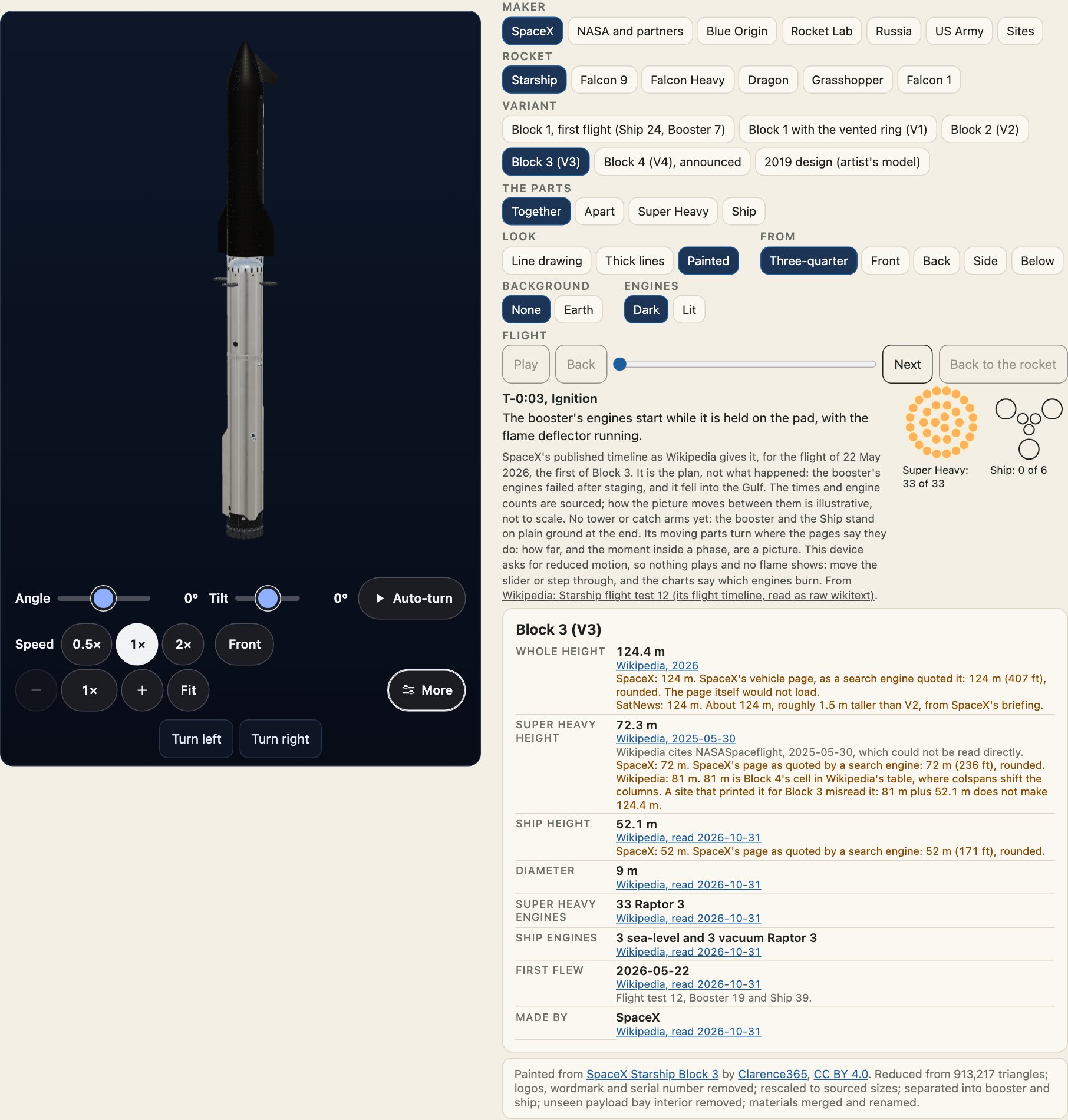
1. A page with a rocket
Save this as rocket.html and open it. The <uchusen-rocket> tag is the rocket; the import map names the three.js the 3D view uses, and the script makes the tag work.
<!doctype html>
<html lang="en">
  <head>
    <meta charset="utf-8" />
    <meta name="viewport" content="width=device-width, initial-scale=1" />
    <title>Uchusen Rockets from jsDelivr</title>
    <script type="importmap">
      { "imports": { "three": "https://cdn.jsdelivr.net/npm/three@0.186.1/build/three.module.js", "three/addons/": "https://cdn.jsdelivr.net/npm/three@0.186.1/examples/jsm/" } }
    </script>
    <script type="module" src="https://cdn.jsdelivr.net/npm/@johnmorrisdotca/uchusen-rockets@0/dist/element.js"></script>
  </head>
  <body>
    <uchusen-rocket rocket="starship" variant="v3" look="thick" style="max-width: 360px"></uchusen-rocket>
  </body>
</html>
The drawing shows at once, made by code. When the element comes on screen and the browser can draw WebGL, the 3D view takes over without a jump. Drag to turn it, use the arrow keys, or leave it to its slow spin. With no WebGL the drawing stays, so the page never shows an empty box.
2. Take it apart and change the look
Three attributes change what is shown. show chooses the parts, look how they are drawn and view where from.
<uchusen-rocket rocket="starship" variant="v3" show="apart" look="painted" view="back"></uchusen-rocket>
<uchusen-rocket rocket="starship" variant="v3" show="booster" look="thick" view="below"></uchusen-rocket>
look is line, thick or painted. A painted rocket uses a licensed 3D model where the package has one, and the package's own paint where it has not. Looks, views and parts has every value.
3. Install it in a project
With a bundler you do not need the import map or the CDN. Install the package and three.js, and import the element once.
npm install @johnmorrisdotca/uchusen-rockets threeimport "@johnmorrisdotca/uchusen-rockets/element";Importing the element defines <uchusen-rocket>, <uchusen-lineup> and <uchusen-flight>. three.js is loaded only when a 3D view is wanted, so a page that uses only drawings never fetches it.
4. Read the same rocket as data
The core of the package has no three.js and no DOM, so it runs in Node, a worker or a build step. Every variant has its own sourced sizes.
import { SOURCES, variantOf } from "@johnmorrisdotca/uchusen-rockets";

const v3 = variantOf("starship", "v3");
console.log(v3?.name, v3?.facts.height.value, "m");
const booster = v3?.facts.parts.booster;
console.log(booster?.value, "m, from", booster?.source ? SOURCES[booster.source].publisher : "no source");
Block 3 (V3) 124.4 m
72.3 m, from Wikipedia5. Ask whether a rocket goes together
import { check } from "@johnmorrisdotca/uchusen-rockets";

const report = check({ rocket: "starship", variant: "v3", parts: { ship: "starship-v2-ship" } });
console.log(report.ok, report.custom, report.label);
true true Custom build, not a vehicle that flew: Super Heavy, Block 3 (V3) with Ship, Block 2 (V2)A mix that fits is allowed and is labelled as a custom build, never as a vehicle that flew. Build a rocket from parts explains the check.
Where next
- Variants and sourced sizes for what each rocket is and where its numbers come from.
- Put one on your own site for the six ways to copy a rocket into a page.
- Troubleshooting if the drawing shows but the 3D view does not.