How-to
Looks, views and parts
Choose how a rocket is drawn, from where, and which parts of it show, with the same words in HTML, React and code.
Three choices change what you see, and they are independent: look (how it is drawn), view (where from) and show (which parts). Every look works for every variant, together, apart and each part alone.
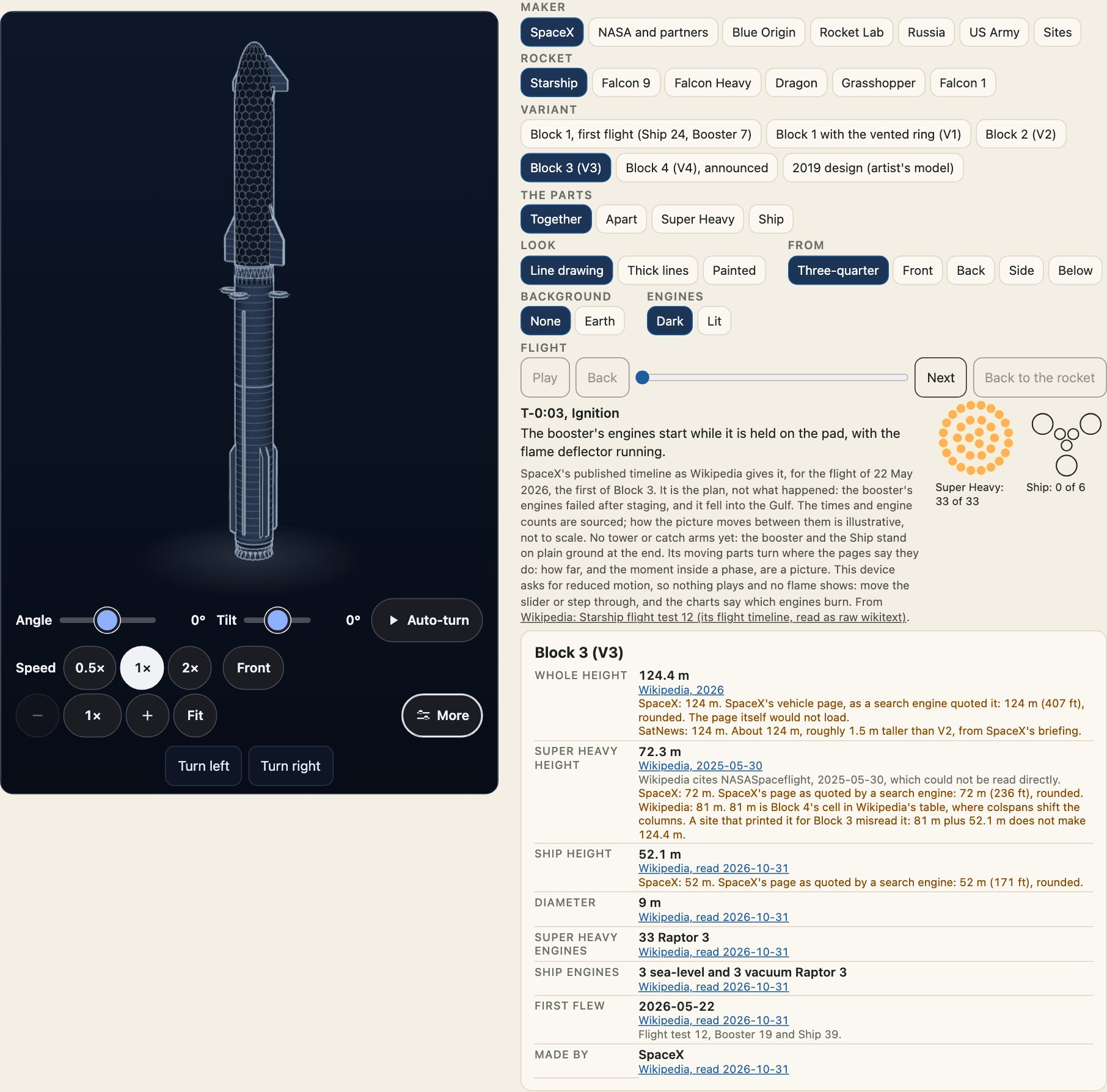
Looks
look | What it is |
|---|---|
line | Thin light lines on night blue. The default. |
thick | The same drawing with heavier lines, for small sizes and for print. |
painted | Materials and light. A licensed model where there is one, otherwise this package's own paint. |
Changing the look keeps the angle: it changes materials, not the camera. A look is one table entry (LOOKS) that changes lines, colours and fills, never a shape.
import { LOOKS, LOOK_NAMES, cleanLook } from "@johnmorrisdotca/uchusen-rockets";

console.log(LOOK_NAMES, LOOKS.thick.outline, cleanLook("glossy"));
[ 'line', 'thick', 'painted' ] 3.4 linecleanLook turns anything from outside into a look's name, and gives the default for anything it does not know. The same is true of cleanView and cleanShow: a hostile or misspelt attribute draws the default and nothing else.
Views
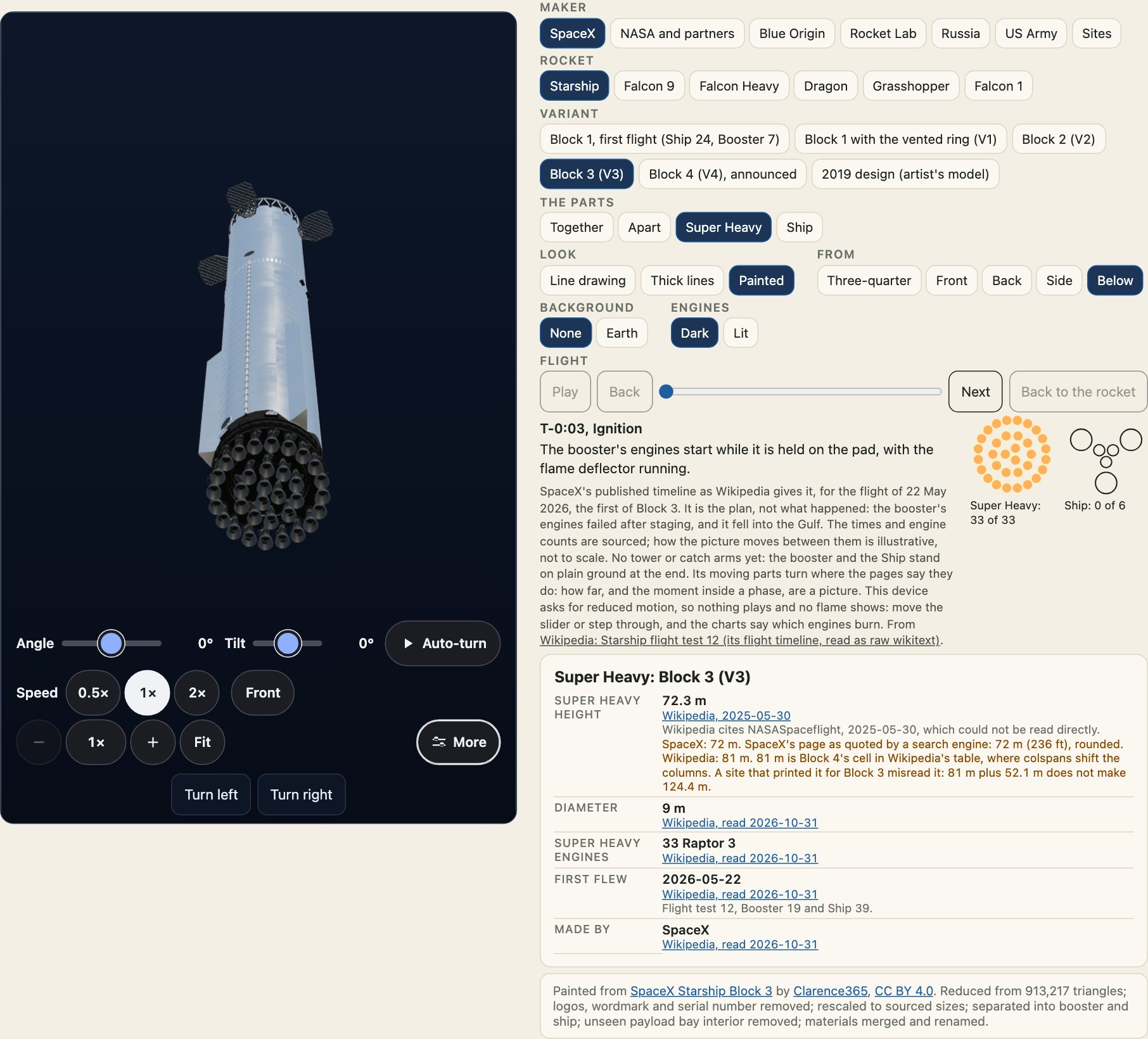
view is three-quarter (the default), front, back, side or below. Front is the windward, tiled side; back is the steel side. Each name is an angle:
import { VIEWS, VIEW_NAMES, directionOf } from "@johnmorrisdotca/uchusen-rockets";

for (const name of VIEW_NAMES) console.log(name, VIEWS[name], directionOf(VIEWS[name]).map((n) => n.toFixed(2)).join(" "));
three-quarter { az: 32, el: 9 } 0.52 0.16 0.84
front { az: 0, el: 3 } 0.00 0.05 1.00
back { az: 180, el: 3 } 0.00 0.05 -1.00
side { az: 90, el: 3 } 1.00 0.05 0.00
below { az: 24, el: -70 } 0.14 -0.94 0.31Drag turns the view from the chosen angle, the arrow keys nudge it, the wheel over the view, a pinch, + and - zoom, and Home or a double-click puts it back. spin sets a slow turn of its own: off, slow, medium, fast or seconds a turn, and way is cw or ccw. With the family's view controls the turn is theirs instead: their speed buttons (0.5×, 1× and 2×) set how fast it goes, and spin stands down while they drive the element.
Showing parts
show is together, apart or the slot of one part. The slots depend on the variant.
import { showsOf, variantOf } from "@johnmorrisdotca/uchusen-rockets";

console.log(showsOf(variantOf("falcon-9", "block-5-dragon-2")?.slots ?? []));
[
'together',
'apart',
'first-stage',
'second-stage',
'trunk',
'capsule'
]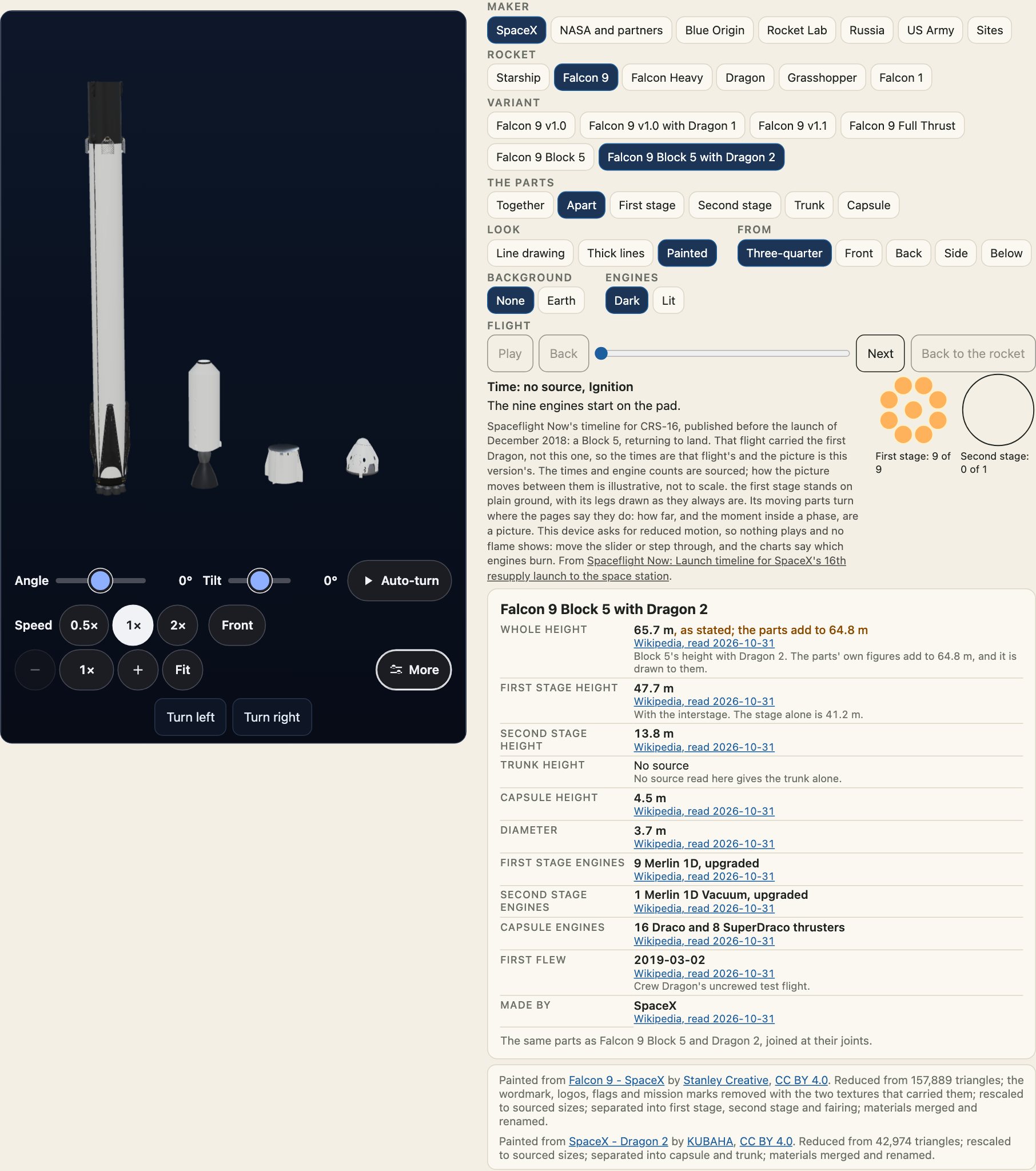
Changing show is an animated move, and a cut for a reader who asked for reduced motion. A part alone fills the frame and lists its own size.
In HTML, React and code
The attributes, the React props and the options are the same words.
<uchusen-rocket rocket="falcon-heavy" look="thick" view="below" show="apart"></uchusen-rocket>import { attributesFromOptions, optionsFromAttributes } from "@johnmorrisdotca/uchusen-rockets";
const attributes = attributesFromOptions({ rocket: "falcon-heavy", look: "thick", view: "below", show: "apart" });
console.log(attributes, optionsFromAttributes((name) => attributes[name] ?? null));{ rocket: 'falcon-heavy', show: 'apart', look: 'thick', view: 'below' } { rocket: 'falcon-heavy', show: 'apart', look: 'thick', view: 'below' }Read the state from a script
element.state is picture, loading, 3d, fallback or error, and element.angle is the current { az, el }. The element sends uchusen-ready, uchusen-change, uchusen-painted, uchusen-fallback and uchusen-error events. See the element reference.